Showing posts with label Apps. Show all posts
6 apps to install on a new MacBook

6 apps to install on a new MacBook

This six-pack of apps belongs on your Mac.


These are the first six apps I installed on my new MacBook Pro, from a text expander to a word processor, with four useful apps in between. All are free except the first, which costs only $5 and offers a free trial. Let's take them in alphabetical order.

aText

aText is a simple, text-expansion app that lets you create abbreviations for commonly typed words and phrases. With it, for example, I can type "@@" instead of my email address. Or "ty" instead of "thank you." It offers other features but it's worth the cost simply for a handful of keyboard shortcuts that saves me time each day.
aText costs $4.99 (£4.18 in the UK and AU$7.05 in Australia) and is available from Tran Ky Nam Software. You can try aText free for 14 days.

Making your own keyboard shortcuts in aText can save so much time.Photo by Matt Elliott/CNET


Chrome

It hogs more system resources than Safari, but I need Chrome because of its little favicons that let me -- at a quick glance -- make sense out of the dozens of tabs I have open at any given moment during the day. Until Safari adds favicons to its boring and uselessly gray tabs, I'm stuck with Chrome on my Mac.
Chrome is free and available from Google.

Dropbox

Apple is making strides with iCloud Drive, but I still can't quit my Dropbox habit. It remains my preferred method for moving files between my iPhone and Mac along with sharing files from my Mac to others. The Dropbox app integrates itself into Finder and adds a helpful menu bar icon for quick access.
Dropbox is free and available from Dropbox.com.
Dropbox is still a great way to upload files to the cloud and share them with others.
Photo by Matt Elliott/CNET

Flux

If you are enjoying Night Shift on your iPhone, then you'll like Flux for your Mac. It adjusts the color temperature of your Mac's display according to the time of day. So, cooler temperatures during the day when the sun is up, then warmer colors at sunset and even warmer at bedtime.
Flux is free and available from Download.com.

Itsycal

There are more powerful calendar apps than Itsycal, but I prefer Itsycal for its simplicity. It installs an icon in the menu bar that displays the current date. You can click on the Itsycal icon to see the full month. Itsycal also lets you link to the MacOS stock Calendar app and will display upcoming appointments, but you can't schedule appointments with Itsycal. That's fine by me since I like it just to be able to glance at my menu bar to see today's date.
Itsycal is free and available direct from developer Mowglii.
Itsycal is a very simple way to see your calendar.
Photo by Matt Elliott/CNET

LibreOffice

I need to work with Microsoft Word docs on occasion, and I think LibreOffice does a better job in approximating Word than Apple's Pages app. I don't use Word enough that I need to shell out forOffice for Mac, and the free LibreOffice is a suitable stand-in for Word if you don't need it on a daily basis (that's why God invented Google Docs).
LibreOffice is free as well as open-source, and available from The Document Foundation.
How To Download Paid Apps & Games for IOS for free!No Jailbreak required!

How To Download Paid Apps & Games for IOS for free!No Jailbreak required!

Image result

Hi everyone!welcome back to Tech-Player blogspot,when every tech lover find what he's loocking for!why you don't check it you also?!
Today,we have a great surprise to iPhone users,because everyone knows that it's diffucult to find free apps on Appstore;so...Yes!We brought for you a way to download paid apps without paying nothing!You want to know how?Just continue reading and you will!
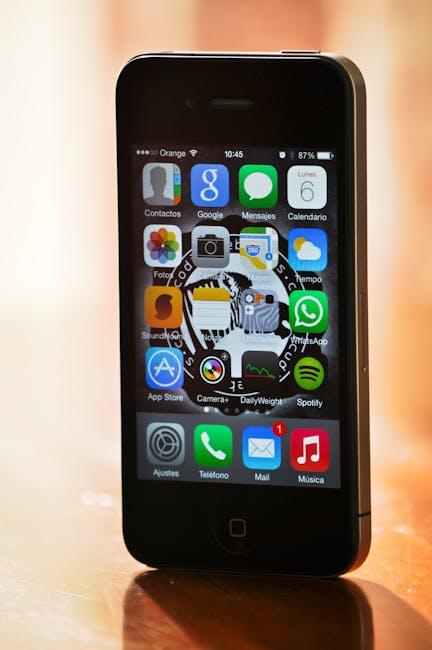
Black Iphone 4


This is a new method for downloading Apps and games from Safari browser of your iOS device without having to pay any penny.You even don’t have to download the third party apps like vShare. This is a completely new method for downloading apps and games.

This website is completely safe and easy to download your favorite apps and games. I tried this site and was really impressed by its service. It is really easy and simple to use . So if you also like to get paid apps for free without any apps or jailbreak then simply follow these steps.

Let’s get started…

Step 1: Open the Safari Browser and type ios.hipstore.mobi in the address bar.
Confused with the title?? Well this is true. This is a new method for downloading apps and games from Safari Browser of your iOS device without having to pay any penny. You even don’t have to download the third party apps like vShare. This is a completely new method for downloading apps and games.

Step 2: Now type the name of the app or game that you wish to install in the search bar. (I entered Badland 2 which is $4.99 on AppStore) and Click on the correct result that are displayed.


Confused with the title?? Well this is true. This is a new method for downloading apps and games from Safari Browser of your iOS device without having to pay any penny. You even don’t have to download the third party apps like vShare. This is a completely new method for downloading apps and games.

Step 3: You will now see the Download now tab. Tap on that.

Confused with the title?? Well this is true. This is a new method for downloading apps and games from Safari Browser of your iOS device without having to pay any penny. You even don’t have to download the third party apps like vShare. This is a completely new method for downloading apps and games.

Step 4: You will now have an option to select the versions of the particular game or application. Select the desired version that you wish to install and hit Download now.


Step 5: A pop up message will appear. Tap on open. (Don’t worry you will not be redirected to the AppStore)

Confused with the title?? Well this is true. This is a new method for downloading apps and games from Safari Browser of your iOS device without having to pay any penny. You even don’t have to download the third party apps like vShare. This is a completely new method for downloading apps and games.

Step 6: Wait for 10-15 seconds and you will see another pop up message. Hit install and you’re good to go.

Confused with the title?? Well this is true. This is a new method for downloading apps and games from Safari Browser of your iOS device without having to pay any penny. You even don’t have to download the third party apps like vShare. This is a completely new method for downloading apps and games.

Step 7: Go to your homescreen and you may see your app downloading there.

Confused with the title?? Well this is true. This is a new method for downloading apps and games from Safari Browser of your iOS device without having to pay any penny. You even don’t have to download the third party apps like vShare. This is a completely new method for downloading apps and games.


So..from now,you will be able to download great apps on your iPhone,and the better is that you won't pay for that! 
This was all for today,share with your friends and let them know this trick,and don't forget to put a comment to tell us what do you think of this trick,is it useful or not...
By for now,see you tomorrow!